
How to Bypass Protection Mode on Amp: Effective Tips and Techniques
Posted by Jacob Morris on May 29th 2026
How To Bypass Protection Mode on Amp (How To Fix An Amp Going Into Protection Mode Without Unsafe Bypasses)
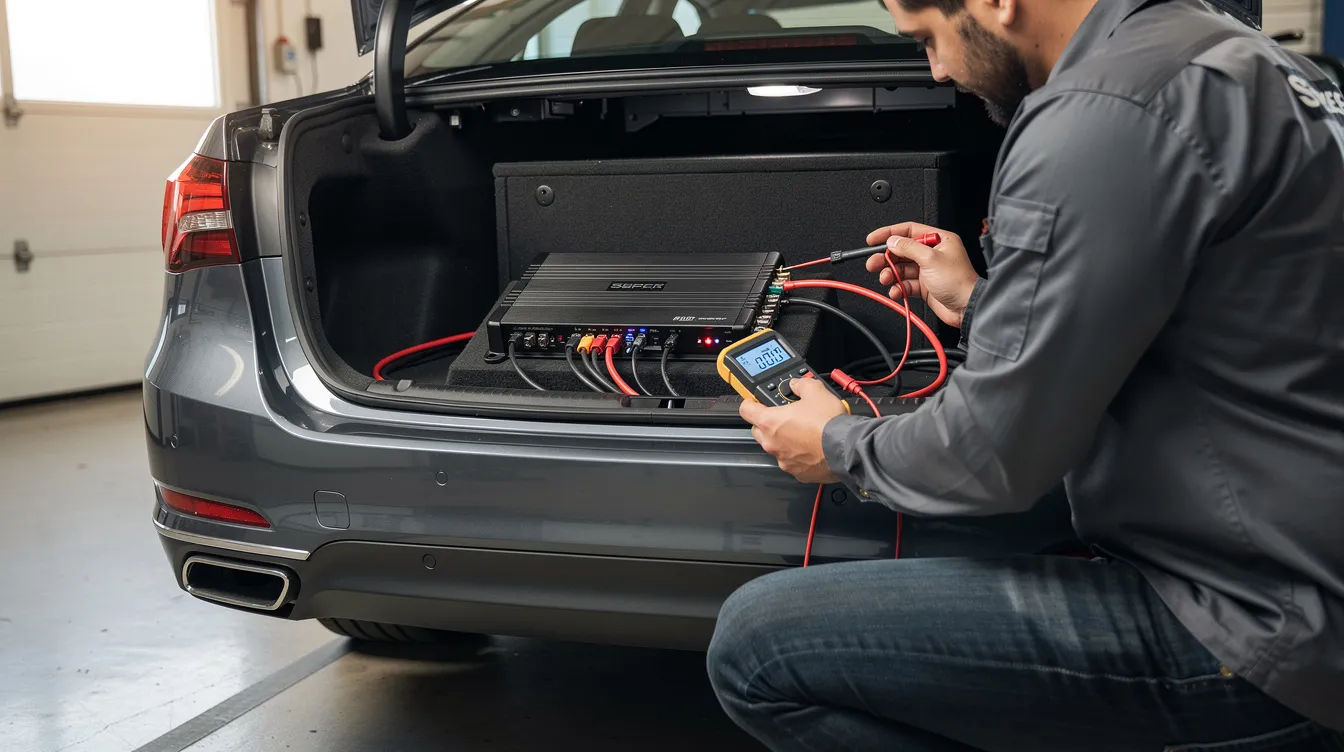
Quick Answer: Can You Bypass Protection Mode On A Car Amp?
No. Bypassing protection mode is not safe. Clearing or resetting protection mode requires diagnosing and fixing the underlying electrical or thermal issue, not defeating the protect circuit. An amp going into protect usually points to wiring, speakers, ohm load, power, voltage, or a bad ground connection.
Note: never jumper fuses, bypass relays, or defeat protection circuits – you can destroy your subwoofer, head unit, and amplifier in seconds.
Here’s the smart order: visually inspect connections, unplug speaker wires and RCA input, test with only power wire, ground wires, and remote wire connected, check voltage with a multimeter, verify gain control and sub impedance, then call a pro if the protect light stays on. Amped Up Car Audio in Conover, NC can help test gear in-store or guide e-commerce customers by phone/email.
What Is Protection Mode On A Car Amplifier?
Protection mode, or protect mode, is an internal safety feature that shuts the amp down when it detects over-current, overheating, short circuits, abnormal voltage, or unsafe operating parameters. Amplifiers go into protect mode as a fail-safe to protect their internal components and connected speakers from damage when they detect issues such as overheating or electrical faults. An amplifier’s safety circuits monitor variables to detect unsafe operating parameters.
Symptoms include a red/orange/flashing protect light, no sound, amp power LED changing color, or the amp goes into protect only when bass hits. Some head unit models also mute or shut outputs if they sense shorted speaker lines, so don’t assume every car audio issue is the amp.
Think of it like performing security verification on a website: a security service checks for malicious bots, tries to distinguish a real user from a bot, displays a respond ray id, and when verification successful, the page loads; if not, you keep waiting. Your amp’s security verification verifies electrical safety before it will connect full power.
Why Your Amp Keeps Going Into Protect (Most Common Causes)
Most “bypass protection mode” requests are really installation or system design issues. Common causes for an amplifier entering protect mode include blown fuses, low battery voltage, overloading, short circuits, and dirty or loose connections.
Impedance mismatch occurs when speakers are wired incorrectly, causing excessive current draw. For example, dual 2-ohm subs wired to 1 ohm on a 2-ohm-stable amplifier can make it go into protect as soon as volume rises.
A loose, rusted, or paint-covered ground wire can cause voltage drops that trigger protection mode in amplifiers. Ground to bare metal, not paint, seat rails, or rusty bolts. A 2015 Chevy Silverado or 2018 Honda Civic with a trunk-mounted sub can be fine at idle, then fail when bass starts dropping.
Low battery voltage can prevent a car amplifier from turning on, and checking the battery voltage to ensure it is above the minimum requirement is essential for troubleshooting. Many systems run best around 12–14.4V; budget amps often shut down below about 11V under heavy bass.
Overloading an amplifier can cause it to shut down; ensuring the amplifier is not producing more power than its specifications can help prevent this issue. Overloading an amplifier by demanding more power than it can handle can lead to overheating, causing the amplifier to shut down and enter protect mode to prevent damage. Thermal overload happens due to lack of ventilation, causing internal components to overheat.
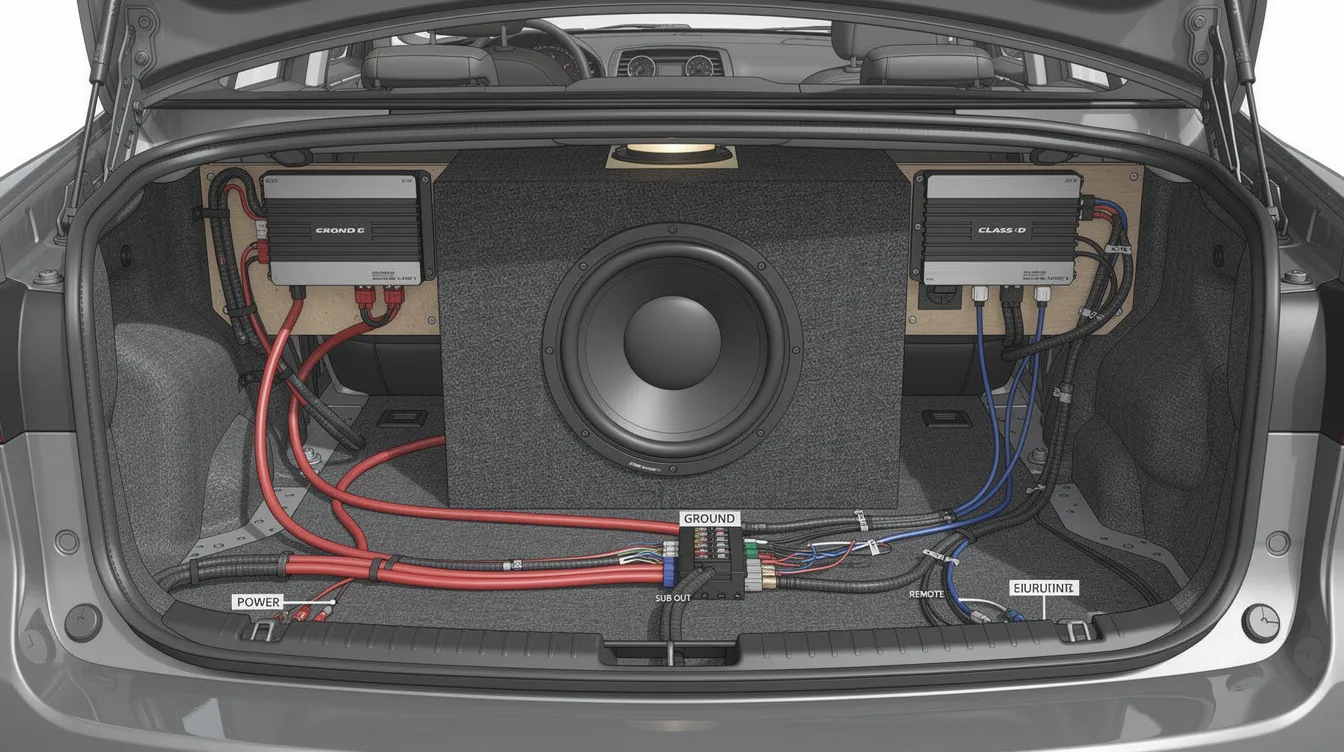
Step‑By‑Step: How To Safely Get Your Amp Out Of Protection Mode
Disconnect Speakers and Test
-
Disconnect all speaker and subwoofer wires at the amp.
Leave only power, ground, and remote connected, then switch the ignition on. If the amp no longer has protect mode, the issue is downstream: wire, speakers, box, or head unit output.
Inspect Power and Ground
-
Inspect power terminals, ground connection, and remote wire.
The ground should be tight, under 18 inches when possible, same gauge as the power wire, and bolted straight to bare metal. Paint, rust, seam sealer, and loose connections commonly cause a bad ground.
Check Voltage
-
Use a multimeter at the amp’s +12V and ground terminals.
Check idle voltage, then test while music plays and bass hits. If voltage is dropping under about 11V, check battery, alternator, fuse holder, and cable size.
Check Fuses
-
Check fuses and distribution.
A blown fuse is one of the most common reasons why a car amplifier doesn't turn on, and replacing it with a new one of the same rating can resolve the issue. Never upsize a 100A, 150A, or 200A fuse beyond the amplifier manual or cable rating.
Reconnect Speakers
-
Reconnect speakers one at a time.
To troubleshoot an amplifier that is in protect mode, disconnecting the speakers and testing them individually can help identify if a blown speaker is causing the issue. Fixing physical faults like loose speaker wires can allow the amplifier to exit protection mode upon restart.
Confirm Subwoofer Wiring
-
Confirm subwoofer wiring and ohm load.
Series wiring raises impedance; parallel wiring lowers it. You should check speaker wires for damages and ensure they meet the power rating specified by the amplifier's manual.
Reset Gain and Check Temperature
-
Reset gain to minimum, bass boost off, then slowly adjust gain.
Overdriving the input causes clipping, heat, and protect mode. Checking the amplifier's temperature is crucial, as overheating can occur due to a mismatched load, blown speakers, or inadequate airflow around the amplifier.
If you smell burnt components, see smoke, or the amp is hot with everything disconnected, stop. Don’t guess or try random forum ideas.
Protection Mode By Scenario: Find Your Exact Symptom
Protect Mode When Bass Hits
Amp goes into protect when bass hits: this usually means low voltage, too-low ohm load, clipping, or weak ground. Check battery, alternator, wire gauge, gain, and sub wiring. A dedicated car audio battery can stabilize big systems.
Protect Mode On Startup
Amp goes into protect as soon as I turn it on: suspect shorted speaker wires, reversed power/ground, a blown sub, or internal amp failure. Unplug all outputs and input cables to test.
Protect Mode After a Few Minutes
Amp keeps going into protect after a few minutes of play: that sounds like overheating. Move the amp out from under carpet, give the heat sink airflow, and avoid mounting it inside a sealed trunk panel during hot summer 2026 weather.
Head Unit Shuts Off
Head unit shuts off or restarts when subs hit: the whole system may be sagging. The radio and amplifier can both shut down when battery voltage drops, especially with lights, A/C, and bass pulling current.
Protect Mode With Everything Disconnected
Amp still in protect mode with everything disconnected: failed output transistors, shorted power supply components, or a damaged protect circuit are likely. At this point, professional bench testing makes sense. The amp is failing its security verification because it senses unsafe conditions.
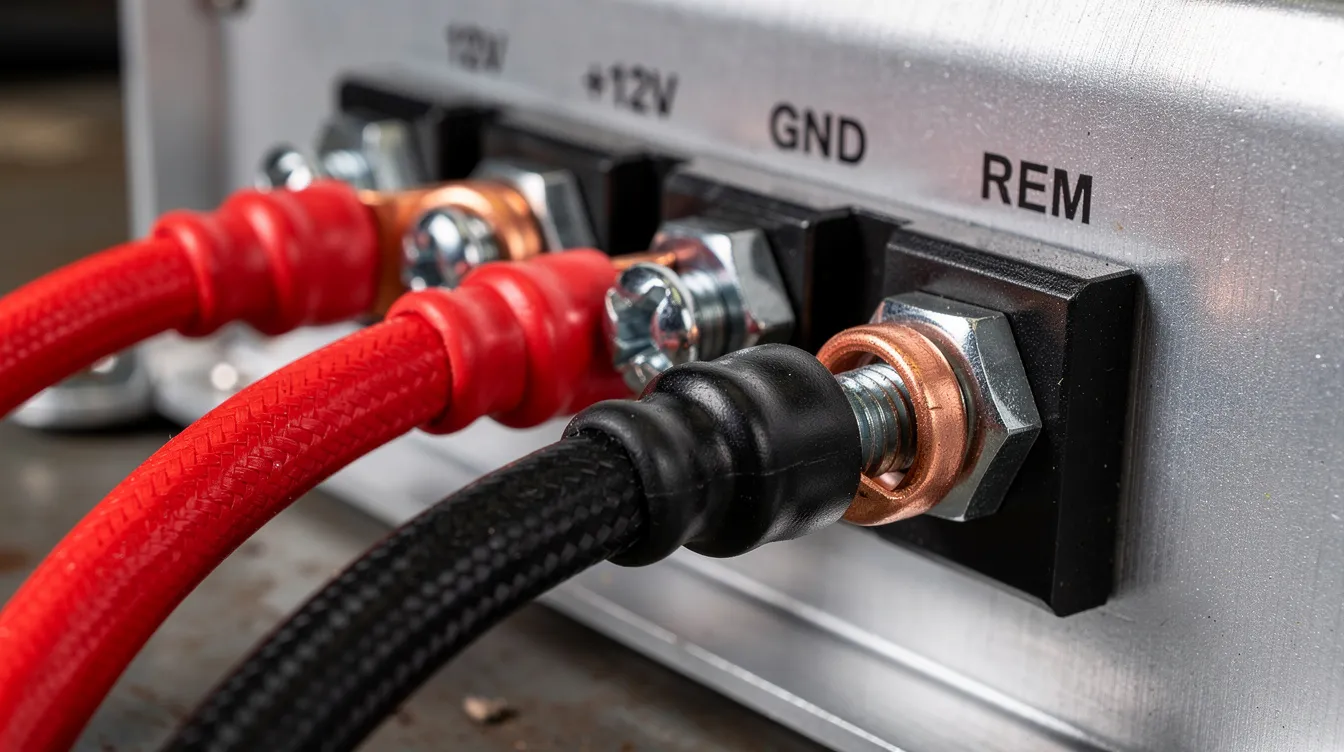
When (And Why) You Should NOT Try To Bypass Protect Mode
YouTube and forum tricks may show how to bypass protection mode on amp circuits, but forcing an amplifier to stay out of protection mode can permanently damage the equipment. Avoid foil-wrapped fuses, bridged relays, cut thermal sensors, or grounding through speaker negatives.
The damage can happen fast: melted voice coils, burned PCB traces, smoked MOSFETs, or even vehicle electrical fires. Bypassing protect is like removing airbags because the warning light is annoying. Fix the real issue: cable size, alternator, battery, grounding, speaker wiring, or replacing a truly failed amp.
Why Buy Your Next Amp & Gear From Amped Up Car Audio?
Amped Up Car Audio is an online retailer and physical shop in Conover, North Carolina, focused on high-performance car audio. Our tech team installs and tunes systems in 2024–2026, so we know which amplifier, sub, battery, and wiring combinations avoid constant protection mode problems.
That means zero-guesswork system matching. Shop monoblock sub amps stable at 1 ohm, multi-channel amps, OFC wiring kits, big-3 upgrade kits, AGM and lithium batteries, high-output alternators, and eco bass knobs for precise control from the front seat.
Online orders ship across the U.S.; local customers near Conover can schedule installs, diagnostics, or bench testing for an amp that keeps going into protection mode. We’ll also tell you when a stock head unit with DSP integration is smarter than a full replacement.
Related Articles for More Help
For more detailed guidance on common amplifier issues and tuning tips, check out these helpful blog posts from Amped Up Car Audio:
-
Why Is My Car Amplifier Not Working? — Explore the top causes and troubleshooting steps to get your amp back in action.
-
Why Is My Amp Not Powering On? — Learn how to diagnose power issues and fix common problems preventing your amp from turning on.
-
How To Tune My Car Amplifier — Step-by-step advice on adjusting gain, crossover, and bass boost for the best sound quality.
-
Why Did My Car Amp Blow? — Understand the reasons behind amplifier failure and how to prevent future damage.
-
Car Audio Ground: How to Create a Proper Ground for an Amplifier — Learn the essential steps to establish a solid ground connection, preventing voltage drops and protect mode issues in your car audio system.
These articles provide in-depth solutions to keep your car audio system performing at its best.
FAQ: Amps In Protection Mode & Safe Troubleshooting
Why does my car amp go into protect mode when the bass hits?
Usually low voltage, unsafe impedance, clipping, or overheating. Check battery, alternator, power wire, ground, gain, and sub wiring.
Can I bypass protection mode on my amp?
No. Follow the diagnostic steps above or work with a professional shop. Bypassing can destroy amps and speakers.
How do I know if my amp is in protect or just off?
Look for the protect light, LED color change, or fault code displayed in the manual or manufacturer website.
My amp goes into protect with no speakers connected – what now?
Internal failure is likely. Contact Amped Up Car Audio for replacement recommendations or diagnostic help.
Can a bad ground cause my amp to go into protect?
Yes. A painted, loose, or dirty ground is one of the most common causes.
Will upgrading my battery or alternator stop my amp from going into protect?
Often, yes, if low voltage is the trigger. Big sub systems may need AGM, lithium, or high-output charging support.
How do I perform security verification on my install before cranking the volume?
Confirm polarity, verify impedance with a multimeter, check all grounds, test at low volume, then increase slowly. If the system behaves normally, verification successful.
If you want us to share sort of exact troubleshooting path for your setup, send Amped Up Car Audio your vehicle, amp model, subwoofer model, fuse size, and wiring details.